The Replay window

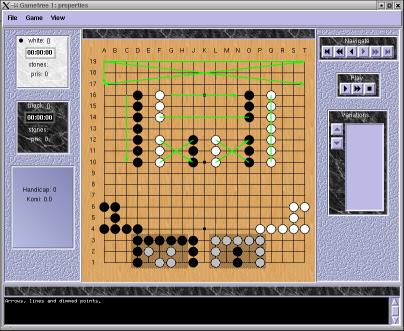
This is the main window of RubyGo, which essentially provides the functionality of an SGF reader. It should be fully compatible with the FF[4] standard. Thanks go to jeanfrancois.menon@free.fr and please provide feedback to him if you encounter any problem reading an SGF file.
Keyboard shortcuts
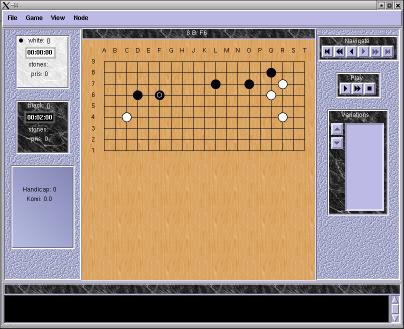
It is the same that GoReplay with editing features added. When you click at a location on the board you add a move to the game, depending on which player turn it is. To add stones that are indepedent of the turn, for example to design a game problem, add a 'setup' node. You type directly into the comments window to edit the text that will be displayed with the corresponding node.

You can always use the 'File ->Print' function to produce encapsulated postscript if you have a way to print postscript files.
With the postscript output saved to a file, you can use GhostScript and GhostView to print to a non-postscript printer, or a convertor to get it into .PDF format and deal with it from there in Acrobat Acrobat or elsewhere. The "print" section should be improved in future versions. The goeditor will have the added ability to enter data fields such as info properties.
For further information, jeanfrancois.menon@free.fr can be reached by email.