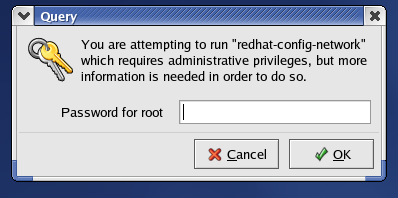
Redhat Menu->System Settings->Network
You will be promtped for your root password:
You will then see a screen like this.
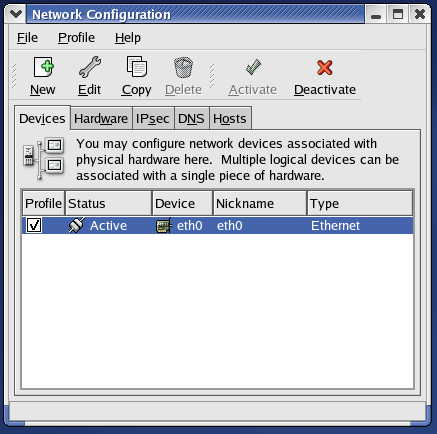 Double-click on the device you wish to configure.
You will then get a window like this.
Double-click on the device you wish to configure.
You will then get a window like this.

If you are using DHCP, be sure to click the radio button for "automatically obtain IP address settings with DHCP". Also check the "Automatically obtain DNS information" box.
Otherwise, if you are using a static IP address, click the
"Statically set IP addresses" button and enter your settings. They
should look similar to the ones below:
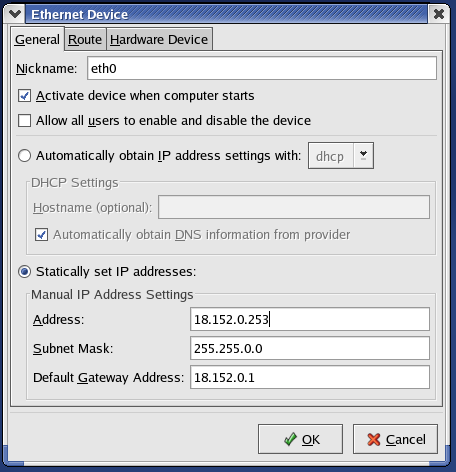
Then click "OK". Then click on the "DNS" tab. Enter your hostname (of the form "MYHOSTNAME.MIT.EDU". If you are unsure of your hostname, ask the computing helpdesk. Entering an incorrect value for your hostname can render the GNOME desktop unusuable. DHCP users should NOT complete this step.
Then enter the three MIT DNS servers as shown below, and the search path of "mit.edu"
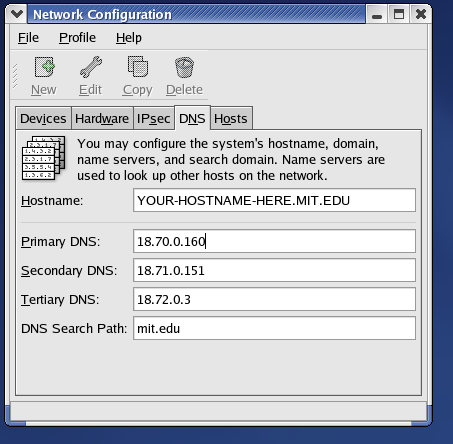 Then go to File and choose "Save".